


Microsoft Office 2024 for Windows PC۔ It is the latest version of the popular productivity suite. It includes all the latest features and updates to Word, Excel, PowerPoint, Outlook, and Access, and new features like support for real-time collaboration and AI-powered insights.
 Security policy
Store owner is registered and verified
 Delivery policy
Instant delivery of digital products to your email inbox at no extra cost
 Return policy
Didn't receive your order or not satisfy with your purchase ? get a full refund !!!
Included in Office 2024 Professional:
What you get:
*Average Response Time: Immediate


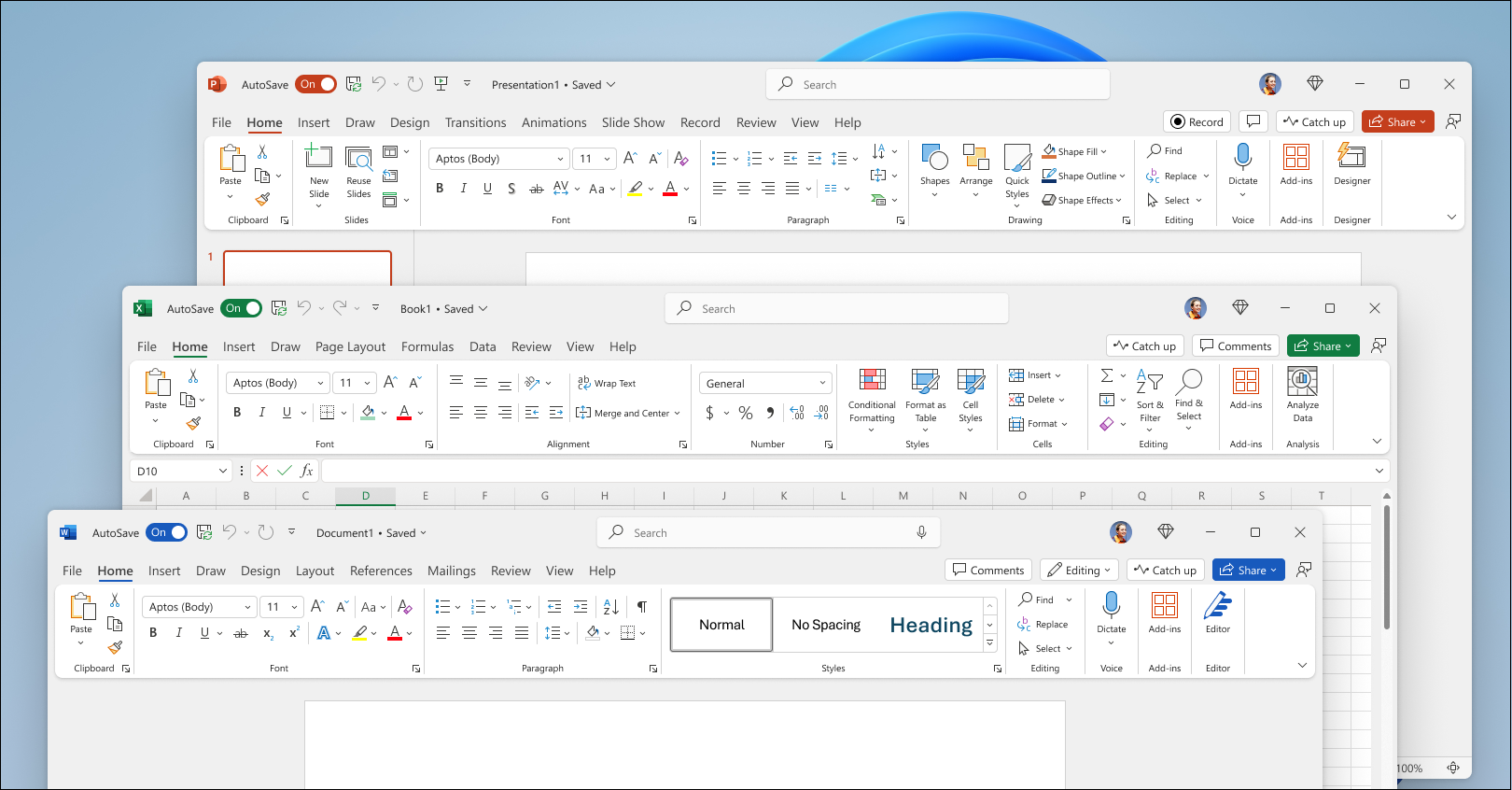
Based on feedback from users like you, Office 2024 has a more natural and consistent experience within and between your Office apps. This new look applies Fluent Design principles to deliver an intuitive, familiar experience across all your applications. It shines on Windows 11, while still enhancing the user experience on Windows 10.
See The new look of Office
New in: 


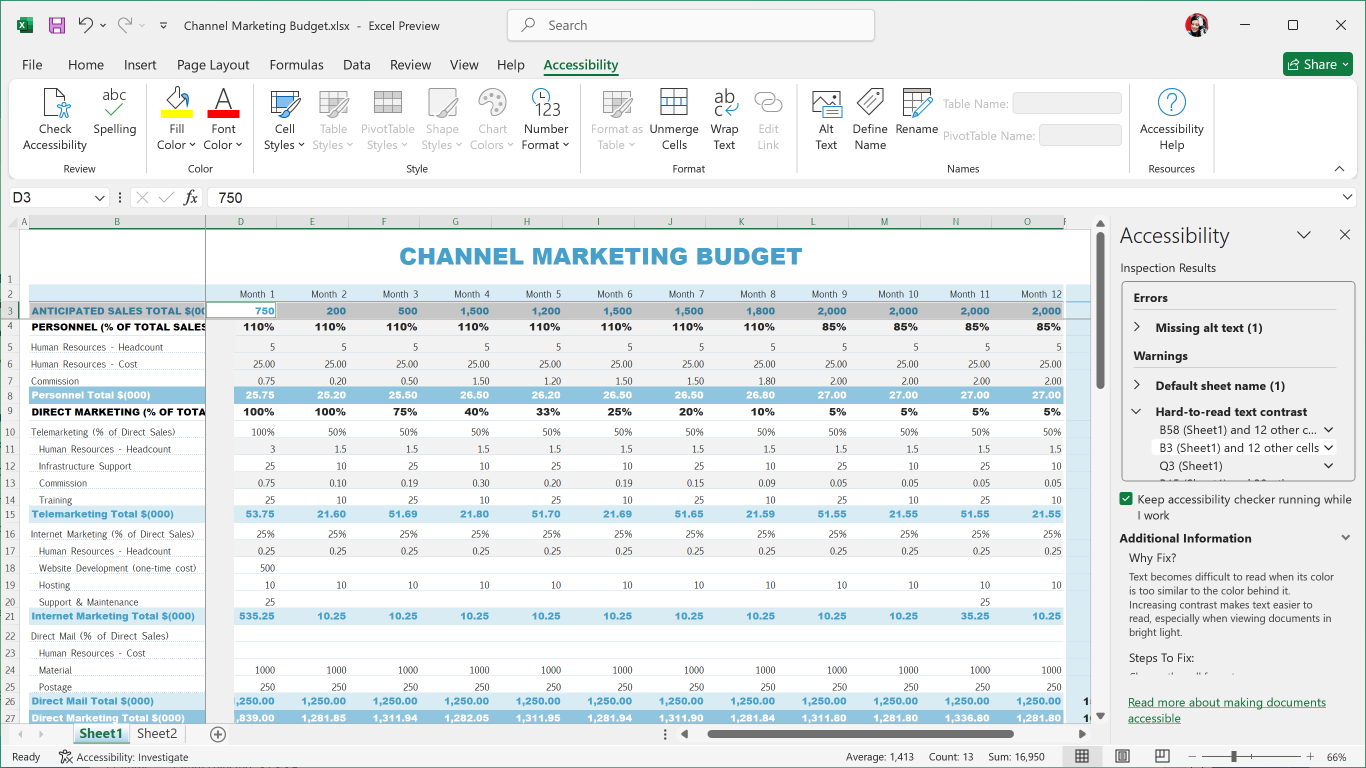
Office LTSC 2024 has added several new and improved features to make your documents, slideshows, workbooks, and emails more accessible for everyone.
See Accessibility Ribbon
New in:
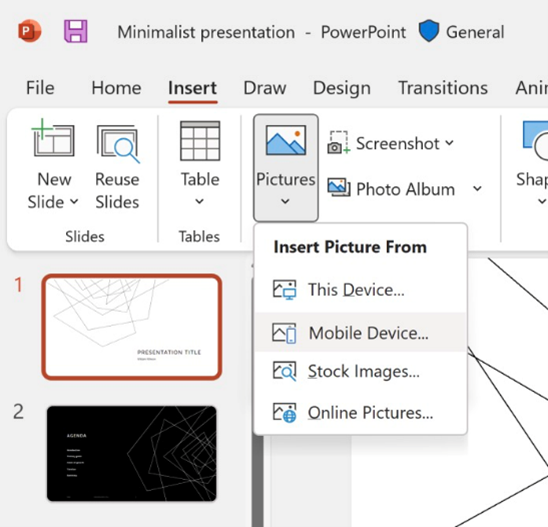
It used to take several steps to transfer images from your phone to computer, but now you can use your Android device to insert pictures directly into your content in Office LTSC 2024.
See Insert photos from your Android phone into Word, Excel, and PowerPoint for Windows files
New in:
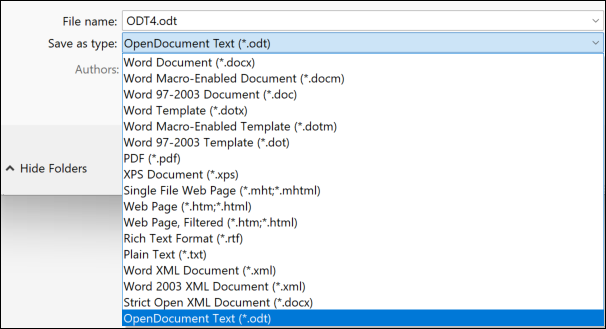
We now include support for the OpenDocument format (ODF) 1.4. The ODF 1.4 specification adds support for many new features.
See Microsoft 365 apps now support OpenDocument Format 1.4
New in:
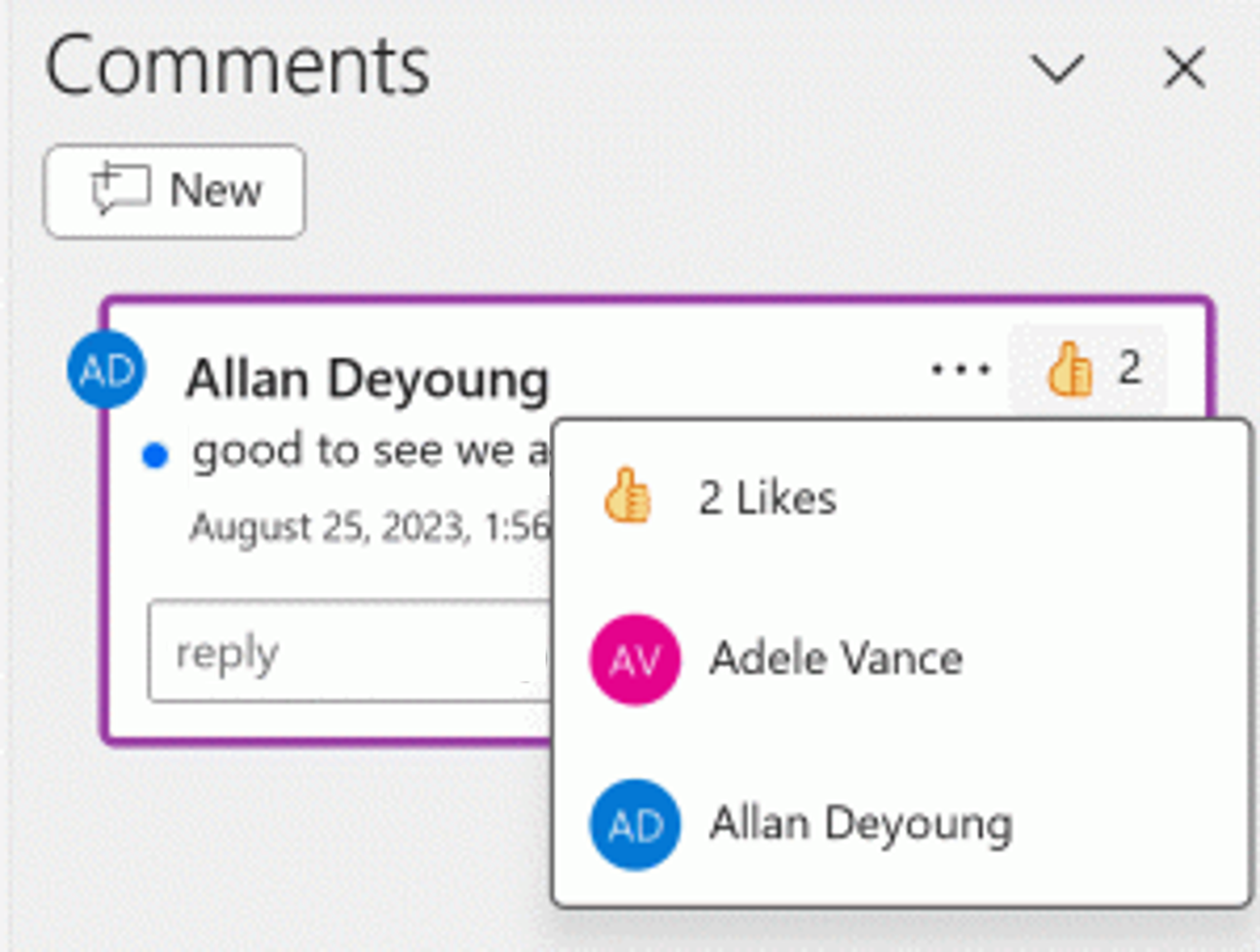
Quickly identify new comments or new replies with the blue dot and show your support to a comment with a Like reaction.
See Add, change, hide, or delete comments in a presentation
New in:
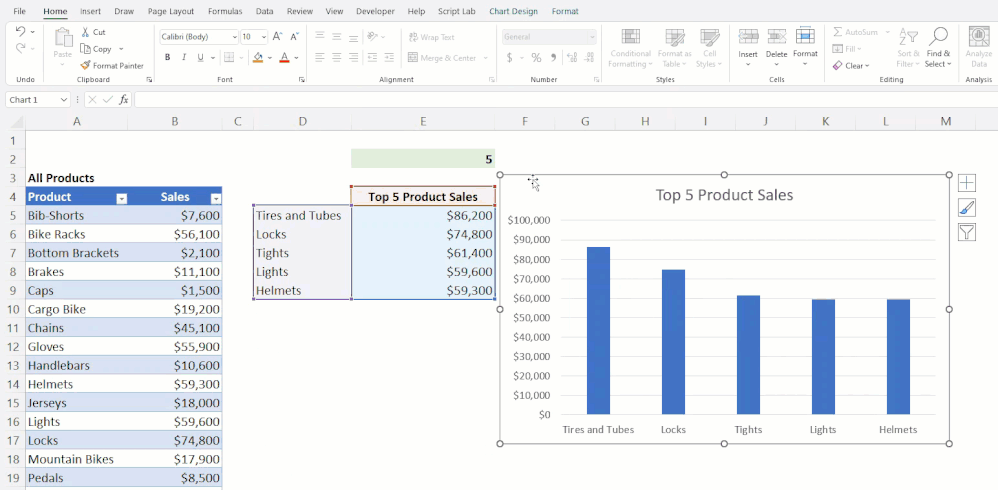
In Excel 2024, you can now reference Dynamic Arrays in charts to help visualize datasets of variable length. Charts automatically update to capture all data when the array recalculates, rather than being fixed to a specific number of data points.
See Dynamically display the contents of a cell or range in a graphic object
New in:
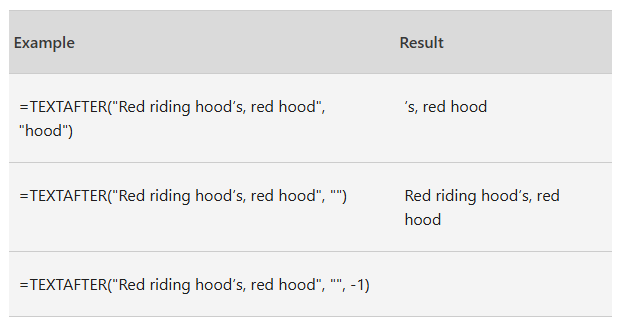
There are now 14 new text and array functions in Excel 2024 that are designed to help you manipulate text and arrays in your worksheets. These functions make it easier to extract and split text strings and enable you to combine, reshape, resize, and select arrays with ease.
See Announcing New Text and Array Functions
New in:
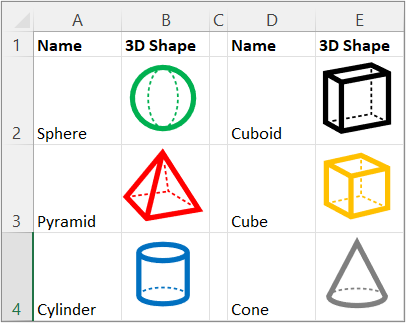
Now in Excel 2024, you can add pictures to your workbooks using copy and paste or you can use the IMAGE function to pull pictures from the web. You can also easily move, resize, sort, and filter within an Excel table without the image moving around.
See Insert Picture in-cell in Excel
New in:
The speed and stability of Excel 2024 workbooks has been improved, reducing the delays and hang-ups that arise when multiple workbooks with independent calculations are open at the same time.
New in:
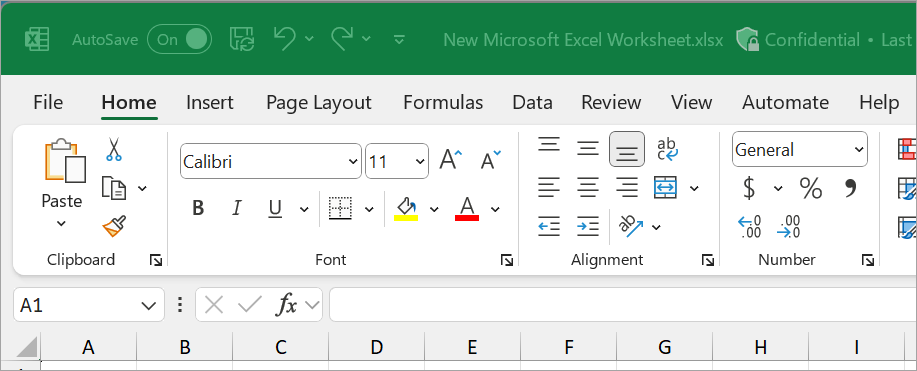
With cameo, you can insert your live camera feed directly on a PowerPoint slide. You can then apply the same effects to your camera feed as you can to a picture or other object, including formatting, transitions, and styles.
See Presenting with cameo
New in:
Record your PowerPoint presentation—or just a single slide—and capture voice, ink gestures, and your video presence. Export your recorded presentation as a video file and play it for your audience.
See Record your presentation
New in:
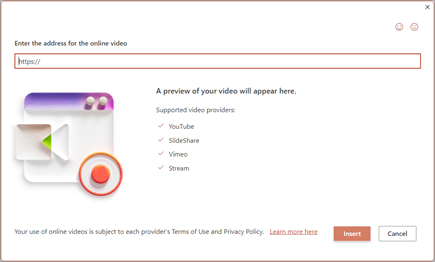
Add Microsoft Stream (on SharePoint) videos to the presentation to enhance and enrich your storytelling.
See Insert a video from YouTube or another site
New in:
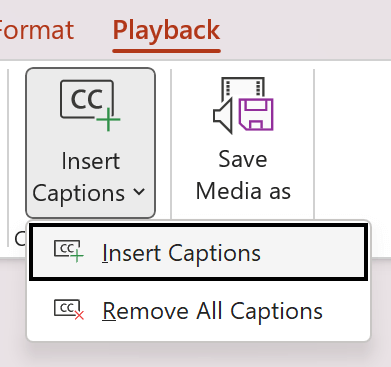
You can now add closed captions or subtitles to videos and audio files in your presentations. Adding closed captions makes your presentation accessible to a larger audience, including people with hearing disabilities and those who speak languages other than the one in your video.
See Add closed captions or subtitles to media in PowerPoint
New in:
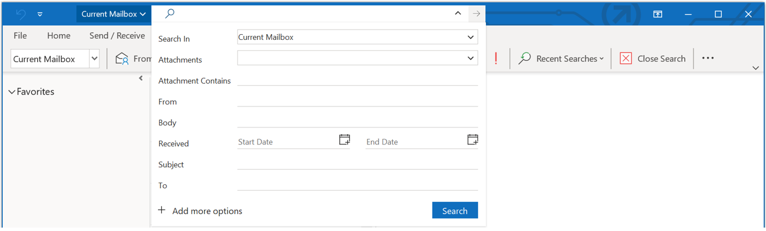
New improvements have been added to search in Outlook 2024 to boost messages, attachments, contacts, and calendar entries so when you type your search it surfaces the most relevant suggestions.
See How to search in Outlook
New in:
Outlook 2024 gives users more options while creating or managing meetings helping you carve out breaks between calls by automatically shortening meetings depending on their length.
See End meetings early or start late
New in:
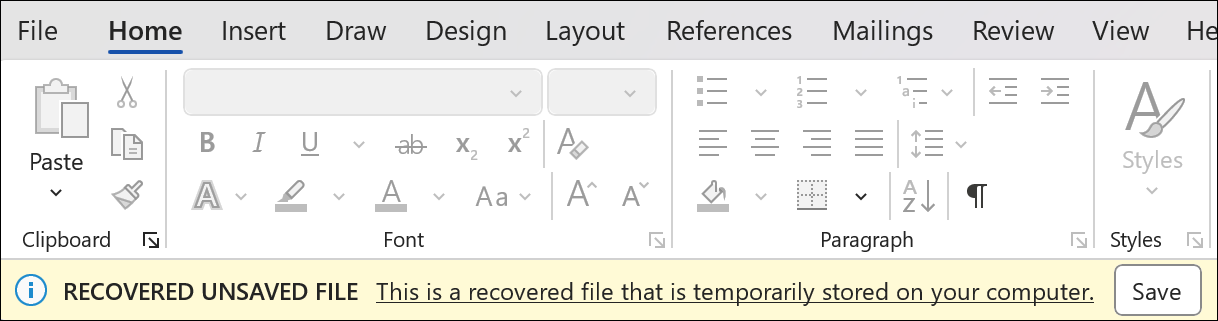
When Word 2024 closes unexpectedly before you save your most recent changes, Word automatically opens all the documents you had open when the process closed, allowing you to continue where you left off.
See Recover your Word files and documents
New in:
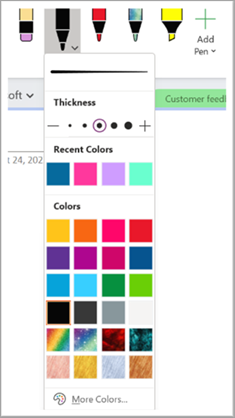
OneNote LTSC 2024 has many new features and updates to existing tools to make your inking and Draw tab experience more robust and customizable. Now your ink will render instantly when drawn with your Surface pen and look just as good as traditional ink on paper. OneNote LTSC 2024 also now has more color and size options for your drawing tools, as well as better organization of the tools for easier access.
See New Draw tab and ink tools in OneNote on Windows
New in:
Unlock new capabilities organizations need and want like mobile solutions and Microsoft Teams integration. Keep the value and ease of use of Access together with the value of cloud-based storage.
See Get started: Migrate Access data to Dataverse
New in:

You might also like

Microsoft Office 2024 for Windows PC۔ It is the latest version of the popular productivity suite. It includes all the latest features and updates to Word, Excel, PowerPoint, Outlook, and Access, and new features like support for real-time collaboration and AI-powered insights.


@CUSTOMER_NAME@
@AUTHOR_PROFILE@ @COMMENT_ISO_COUNTRY@@COMMENT_TITLE@
@COMMENT_COMMENT@