
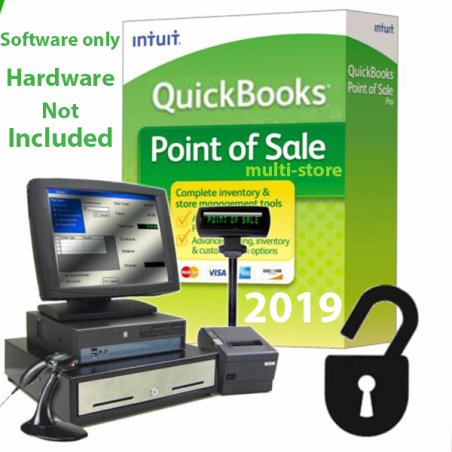

QuickBooks Desktop Point of Sale is a powerful retail solution designed to help small and medium-sized retailers manage their sales, inventory, and customer data efficiently — all while syncing seamlessly with QuickBooks Desktop. With features for streamlined checkout, real-time inventory tracking, detailed reporting, and flexible payments, it’s a one-stop system for managing your brick-and-mortar store.
supports windows 7,8,10 and 11
 Security policy
Store owner is registered and verified
 Delivery policy
Instant delivery of digital products to your email inbox at no extra cost
 Return policy
Didn't receive your order or not satisfy with your purchase ? get a full refund !!!
Integrated Sales Processing
Ring up sales quickly via barcode scan, item lookup, or manual entry.
Accept various payment types: credit/debit cards, cash, checks, and even contactless payments like Apple Pay and Google Pay.
Reduce data entry errors: payments and sales transactions are automatically recorded and synced with QuickBooks Desktop.
Powerful Inventory Management
Inventory is updated in real time: as you sell or return items, the system reflects the current stock levels.
Create and email purchase orders directly from POS (in Pro/Multi-Store versions).
Set re-order points so you know when to restock, helping prevent stockouts or overstock.
Support for barcode scanners and physical inventory scanning to make stocktakes more efficient. Customer Management & Loyalty
Maintain a customer database: track names, contact details, purchase history, notes, etc.
Use customer data to run targeted loyalty programs, offer discounts, or send promotions — helping increase repeat business.
Create gift cards and apply them to sales, adding flexibility and value for your shoppers.
Employee & Store Management
Track employee hours, commissions, and performance (in more advanced POS versions).
Set role-based permissions, so you control access to sensitive features.
Monitor multiple stores (in the “Multi-Store” version) from a central location.
Reporting & Analytics
Interactive dashboards give you sales summaries, trends, top-selling products, and inventory insights.
Generate detailed reports: profit & loss, tax summaries, sales by category/time/customer, inventory valuation, and more.
Export reports to Excel or PDF for easy sharing or deeper analysis.
Secure Payments
Practice mode allows staff to be trained on the system without affecting real data — perfect for onboarding or testing.
Learning Center with step-by-step video tutorials helps get your team up to speed.
Retailers with a physical store who already use QuickBooks Desktop for accounting.
Businesses that prefer one-time purchases over subscriptions (since the POS is installed locally).
Retailers who want detailed inventory tracking, customer management, and sales reporting.
Multi-location retailers (if using the Pro / Multi-Store version).
Streamline Operations & Cut Errors: Sales, inventory, and customer data all sync with your accounting software, reducing double entry and human error.
Get Real-Time Insights: Know what’s selling, what’s not, and when to reorder — so you can make smarter business decisions.
Improve Customer Experience: Use customer profiles, loyalty, and gift cards to drive repeat business.
Grow Securely: Built-in payment security and employee access control help minimize risk.
Training Made Easy: Practice mode + learning center help your team get comfortable with the system fast.
Ring up sales quickly using barcode scanning or item lookup
Accept multiple payment methods: cash, card, gift cards, store credit
Automatically calculate taxes, discounts, and promotions
Optional touchscreen compatibility for faster checkout
Track stock levels in real time across departments
Receive automatic reminders when items reach low-stock levels
Create purchase orders directly from the system
Manage item variants (size, color, style) easily
Reduce shrinkage with accurate stock counts and item history
Automatically sync sales, payments, customer info, and inventory
No more manual entry—reduce accounting errors
Compatible with QuickBooks Pro, Premier, and Enterprise (Desktop versions)
Save hours on bookkeeping every month
Build customer profiles with purchase history and contact details
Offer loyalty rewards and discounts
Issue and redeem gift cards
Send promotional messages to returning shoppers (email lists)
Track employee sales and performance
Control system access with role-based permissions
Reduce unauthorized actions with secure login controls
Generate over 50+ built-in reports
View sales summaries, inventory valuation, top-selling items, and profit margins
Export reports to Excel or PDF
Make better business decisions with real-time data
QuickBooks POS v18 supports a wide range of retail hardware:
Barcode scanners
Receipt printers
Cash drawers
PIN pads / card readers
Pole displays
Touchscreen monitors
Perfect for building a complete point-of-sale workstation.
Reliable and stable — trusted by thousands of retailers
Local installation (your data stays in your control)
No expensive monthly cloud subscription
Designed specifically for small and medium retail businesses
Works perfectly even without internet connection (offline mode)
Clothing & fashion stores
Electronics shops
Beauty & cosmetics stores
Mini-marts and general retail
Bookstores, gift shops & specialty shops
Any retailer that wants strong inventory tracking + QuickBooks integration
QuickBooks Desktop Point of Sale v18 software
Full retail management features
Optional multi-store setup (if your edition supports it)
Compatibility with QuickBooks Desktop accounting
You might also like
QuickBooks Desktop Point of Sale is a powerful retail solution designed to help small and medium-sized retailers manage their sales, inventory, and customer data efficiently — all while syncing seamlessly with QuickBooks Desktop. With features for streamlined checkout, real-time inventory tracking, detailed reporting, and flexible payments, it’s a one-stop system for managing your brick-and-mortar store.
supports windows 7,8,10 and 11







@CUSTOMER_NAME@
@AUTHOR_PROFILE@ @COMMENT_ISO_COUNTRY@@COMMENT_TITLE@
@COMMENT_COMMENT@